



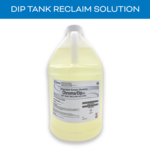
Chromaline Chromaline Chroma/Dip iSC (Dip Tank 10:1) – Gallon CHR-SCRE010CHPG001
Chromaline Screen Print Products Chroma/Dip iSC Gallon: what it is
A dip-tank reclaim concentrate for textile screens. Mixed up to 1:10 with water, it softens both the stencil and textile ink in 1-2 minutes of soaking so the screen can be pressure washed clean in one step.
Best for: Dip-tank reclaiming of textile screens; Removing stencil and plastisol ink in one step; Shops reclaiming many screens a day.
How to use Chroma/Dip iSC
- Mix Chroma/Dip iSC up to 1 part to 10 parts water in the dip tank
- Fully immerse the screen for 1-2 minutes
- Lift out and brush lightly to speed ink and stencil removal
- Pressure wash off all ink and stencil
- Do not let the solution dry on the stencil
Chromaline Screen Print Products Chroma/Dip iSC Gallon specifications
| Size | Gallon |
| Part # | CHR-SCRE010CHPG001 |
| Type | Dip-tank stencil and ink remover concentrate |
| Mix ratio | Up to 1:10 with water |
| Soak time | 1-2 minutes |
| pH | 4-5 (concentrate) |
| VOC | 0% by weight |
| Shelf life | 2 years from date of production, sealed in original container, stored cool |
| Maker sizes | gallon, 5 gallon |
| Maker SKU (gallon) | SCRE010CHPG001 |
Chroma/Dip iSC safety summary
- Signal word: Danger
- Hazards: Causes skin irritation (H315); causes serious eye damage (H318)
- Protection: Goggles or face shield, rubber or neoprene gloves, apron; respirator only if ventilation is poor
- Flash point: No data on SDS
- VOC: 0% by weight
- California Prop 65: None listed
- Storage: Keep closed; store away from extreme heat; do not freeze
- Shipping: DOT, IMDG and IATA not regulated
Chroma/Dip iSC downloads (SDS, TDS, instructions)
- Chromaline Screen Print Products SDS Chroma/Dip iSC (rev 01 Mar 2023)
- Chromaline Screen Print Products iSC Screen Chemistry User Guide (current master, all iSC products)
- Chromaline Screen Print Products iSC Screen Chemistry sell sheet (2025)
Chromaline iSC screen chemistry overview video
Works with Chroma/Dip iSC
Chroma/Dip iSC FAQ
What is the Chroma/Dip iSC mix ratio?
Dilute up to 1 part Chroma/Dip iSC to 10 parts water in the dip tank.
How long do I soak screens in Chroma/Dip iSC?
1 to 2 minutes, then brush lightly and pressure wash.
Does Chroma/Dip iSC remove ink and emulsion at the same time?
Yes. It is made to loosen both the stencil and textile ink for one-step removal.
Is Chroma/Dip iSC hazardous?
The SDS signal word is Danger: it irritates skin and can seriously damage eyes. Wear goggles, rubber or neoprene gloves and an apron. It has 0% VOC and ships unregulated.
Chroma/Dip iSC is specifically formulated for optimum screen cleaning in dip tanks. Just 1-2 minutes is all it takes to soften most stencils (Chromaline's are easiest) and inks for easy pressure washing.
- Unlocks stencils and textile inks for easy, one-step removal
- 10:1 Concentrate
- Long lasting and economical
Directions:
Dilute Chroma/Dip iSC up to 1:10 with water and fully immerse screens for 1 to 2 minutes. Remove screen and brush lightly to speed ink and stencil removal. Use pressure washer to remove all traces of ink and stencil. Do not allow solution to dry on the stencil.
Chroma/Dip iSC (Dip Tank 10:1) specifications
Chroma/Dip iSC: questions
How do I use Chroma/Dip iSC?
Dilute up to 1:10 with water in a dip tank, immerse screens for 1 to 2 minutes, brush lightly and pressure wash.
What does it remove?
It softens stencils and textile inks together for easy one-step removal. Do not let the solution dry on the stencil.
Need it for your shop? Pick up in our Tempe, AZ showroom or we ship it to you.
Ask about our discounts Ask about packages Call 480-229-7806
Chromaline Chroma/Dip iSC (Dip Tank 10:1) – Gallon

Price
Color
Size
Quantity
More Images
Shipping
bucketsofink has a highly developed production and shipping system and we make every effort to ship your order in a fast and effecient manner.


 Please wait


