



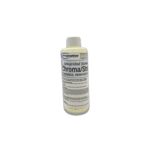
Chromaline Chroma/Screen Wash iSC 1 Qt. CHR-SCRP549CHPQ001
Chromaline Screen Print Products Chroma/Screen Wash iSC Quart: what it is
A ready-to-use ink and stain remover for the reclaim sink. It emulsifies plastisol, UV and solvent inks so they rinse off with water, makes little or no foam, and can be re-applied after stencil removal to cut ghost images. It works by hand or diluted in automatic washers.
Best for: Ink removal before stencil stripping; Reducing ink ghost images; Automatic screen washers (no foam).
How to use Chroma/Screen Wash iSC
- Scrape excess ink off the screen with a spatula
- Apply to the squeegee side of the screen
- Scrub both sides with a non-abrasive brush until the ink liquefies
- Rinse from the bottom up with water
- For a leftover ghost image, re-apply after stencil removal and pressure wash
- In automatic systems, dilute up to 1:1 (50%) with water
Chromaline Screen Print Products Chroma/Screen Wash iSC Quart specifications
| Size | Quart |
| Part # | CHR-SCRP549CHPQ001 |
| Type | Ready-to-use ink degrader / stain remover |
| Dilution | Use straight by hand; up to 1:1 with water in automatic systems |
| Inks | Plastisol, UV and solvent-based (maker docs also mention water-based) |
| Flash point | 94°C (201°F), lowest flashing component |
| VOC | 80% by weight |
| Foam / odor | No foam, low odor (vanilla) |
| Shelf life | 2 years from date of production, sealed in original container, stored cool |
| Maker sizes | quart, gallon, 5 gallon, 55 gallon |
| Maker SKU (quart) | SCRP549CHPQ001 |
Chroma/Screen Wash iSC safety summary
- Signal word: Warning
- Hazards: Causes serious eye irritation (H319)
- Protection: Goggles or safety glasses, rubber or neoprene gloves, apron; do not breathe vapors; respirator if ventilation is poor
- Flash point: 94°C (201°F)
- VOC: 80% by weight
- California Prop 65: None listed
- Storage: Keep closed; store away from extreme heat; do not freeze
- Shipping: DOT and IATA not regulated
Chroma/Screen Wash iSC downloads (SDS, TDS, instructions)
- Chromaline Screen Print Products SDS Chroma/Screen Wash iSC (rev 12 Jul 2023)
- Chromaline Screen Print Products iSC Screen Chemistry User Guide (current master, all iSC products)
- Chromaline Screen Print Products iSC Screen Chemistry sell sheet (2025)
Chromaline iSC screen chemistry overview video
Works with Chroma/Screen Wash iSC
- Chroma/Strip™ iSC 1 Gal RFU
- Chroma/Strip Plus iSC Emulsion Remover Qt. (Concentrate 35:1)
- Textile Press Wash iSC 1 Qt.
Chroma/Screen Wash iSC FAQ
Do I dilute Chroma/Screen Wash iSC?
Use it straight for manual cleaning. In automatic washers you can dilute it up to 1:1 (50%) with water.
What inks does Chroma/Screen Wash iSC remove?
Plastisol, UV-cured and solvent-based inks; it emulsifies them so they rinse away with water.
Does Chroma/Screen Wash iSC remove ghost images?
It helps. Re-apply after the stencil is removed and pressure wash to reduce ink ghosting.
What is the flash point of Chroma/Screen Wash iSC?
94°C (201°F) per the SDS, so it is above 200°F and ships unregulated.
Chroma/Screen Wash iSC is the perfect companion for your reclaim process due to its MULTI-FUNCTIONAL properties.
- Emulsifies plastisol, UV and solvent-based ink for easy water removal
- Low to no foam
- Low odor
- Effective in both manual and auto cleaning processes
- Reduces / removes ghost images caused by ink
- Can be diluted up to 1:1 with water in auto systems
- Flash point > 200-F
Directions:
Use a spatula to scrape excess ink from screen. Apply the product to squeegee side of the screen. Use a nonabrasive brush to scrub both sides of the screen until the ink is liquefied. Starting from the bottom, rinse ink residue from the screen with water. if a latent ghost image from ink remains, reapply Chroma/Screen Wash iSC and clean with pressure washer.
Chroma/Screen Wash iSC: questions
What inks does Chroma/Screen Wash iSC remove?
It emulsifies plastisol, UV and solvent-based ink so it rinses away with water. It also reduces ghost images left by ink.
Can I use it in an automatic screen washer?
Yes. It is low foam and can be diluted up to 1:1 with water in auto systems.
How do I use it by hand?
Chroma/Screen Wash iSC 1 Qt.

Price
Color
Size
Quantity
More Images

Related Products
Shipping
bucketsofink has a highly developed production and shipping system and we make every effort to ship your order in a fast and effecient manner.


 Please wait


