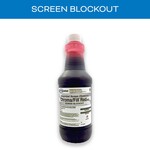

Chromaline Chroma/Fill Red iSC Qt. CHR-SCBS505CHGQ001

    Chromaline Screen Print Products Chroma/Fill Red iSC Quart: what it is

    A red, water-based screen filler (blockout) for touching up pinholes and filling open mesh around the stencil. It spreads evenly, dries fast and stays clear enough to see through, resists solvent, UV and plastisol inks, and washes out with water at reclaim.

    Best for: Touching up pinholes and stencil defects; Blocking open mesh around the image; Solvent, UV and plastisol inks.

    How to use Chroma/Fill Red iSC

    1. On the substrate (print) side, spread filler evenly over the area with a straight edge, card or plastic spreader
    2. For pinholes, thin with water and touch up with a brush
    3. Let it dry before printing
    4. To reclaim, wash it out with water
    5. For water-based inks, use a water-resistant emulsion for touch-ups instead, and expose it after drying

    Chromaline Screen Print Products Chroma/Fill Red iSC Quart specifications

    SizeQuart
    Part #CHR-SCBS505CHGQ001
    TypeWater-based screen blockout / filler
    ViscosityMedium
    Ink compatibilitySolvent-based, UV and plastisol; not for water-based inks
    Solvent contentContains no solvents; removes with water
    pH5-6
    VOC0% by weight
    Shelf life2 years from date of production, sealed in original container, stored cool
    Maker sizessquirt bottle, quart, gallon
    Maker SKU (quart)SCBS505CHGQ001

    Chroma/Fill Red iSC safety summary

    • Signal word: None (not classified)
    • Hazards: Not classified under OSHA HCS
    • Protection: Safety glasses or goggles, rubber or neoprene gloves, apron; respirator only if ventilation is poor
    • Flash point: Not relevant (water-based)
    • VOC: 0% by weight
    • California Prop 65: None listed
    • Storage: Keep closed; store away from extreme heat; do not freeze
    • Shipping: DOT, IMDG and IATA not regulated

    Chroma/Fill Red iSC downloads (SDS, TDS, instructions)

    Chromaline iSC screen chemistry overview video

    Works with Chroma/Fill Red iSC

    Chroma/Fill Red iSC FAQ

    What inks is Chromaline Chroma/Fill Red iSC blockout for?
    Solvent-based, UV and plastisol inks. It is not for water-based inks.

    How do I apply Chroma/Fill Red iSC screen filler?
    Spread it evenly on the print side with a card or plastic spreader; thin with water to touch up pinholes with a brush.

    How do I remove Chroma/Fill Red iSC from a screen?
    It washes out with water when you reclaim.

    What should I use for pinholes with water-based ink?
    Chromaline recommends touching up with a water-resistant emulsion and exposing it after it dries.

    Chroma/Fill RED iSC is a red-colored screen blockout. Its water-based formulation is used in the screen room with all types of stencil products to fill large areas of open mesh and touch up pinholes or other image area defects. Not for use with water-based.

    Chroma/Fill Red iSC Qt.

    Price

    Color

    Size

    Quantity

    Add to Cart

    More Images

    Shipping

    bucketsofink has a highly developed production and shipping system and we make every effort to ship your order in a fast and effecient manner.

    Search
    Your cart is empty
    Search
     

    Select Size


    Extra Product Options


      Please enter your Layout name


      Select Type Of TextSelect Type Of Team nameSelect Type Of DesignSelect placeholder type

      Colors are not as solid, good when ordering low qty
      Colors are not as solid, good when ordering low qty
      Colors are not as solid, good when ordering low qty
      Colors are not as solid, good when ordering low qty
       

      Please enter your text


      Select a design

      Please wait while the image gallery loads


      Confirm Request Quote

      You will be redirected to a page where you can request a quote for this blank product. Any decorations you have added to this product will be removed.


      Select Product

      Select Product

        Products


        How many colors are in this design?

        You now have multiple elements making up this screenprint design

        Select the colors that appear in your design.

        You need to specify the total number of unique colors used across all the elements in your design.

        This helps us determine the pricing based on the number of colors in your design.

        • (plus white base)

        You can also specify the colors used in your design eg "Red", "Blue", "pantone 1809".

        If you dont tell us, our professional designer will work it out for you.

        • (plus white base)

        Currently selected Colors


        How many colors are in this design?

        • colored image
        • original image

        How many colors in your design?

        4 Colors

        Select the colors to be used

          COLOR PICKERS GO HERE
         

        Your Cart

        Products Qty Price
         

        Re-use existing screen print designs

        You have already used screen printing in this order. To avoid additional screen costs you can re-use an existing screen print design for this product.

        You can

        Re-use existing designs

        or


        WarningError

        Your layout contains images that have been resized to the point where they may appear blurred.

        Below-quality images listed

        Your layout contains images that appear outside the design area.

        You cannot save the product until you have moved the images within the design area.

        Your layout contains images that appear outside the design area.

        Your layout contains overlapping images.

        You cannot save the product until you have moved the images so they are not overlapping.

        Blank product purchase is not allowed

        You will not be able to purchase this product until you add a decoration design.

        Inactive blank product in use

        Product minimum quantity requirements not met

        You will need to increase the specified quantity to add this item to your cart.

        Process minimum quantity requirements not met

        Screen(s) still updating...

        You will not be able to purchase this item until all re-used screens have been updated.

        Your layout contains images that have been resized to meet the 25 megapixel limit for raster images and they may appear smaller than intended. You can avoid the raster size limit by uploading artwork in vector format when possible.

        By clicking OK, you are agreeing to accept the final product regardless of image quality. Click Cancel if you want to go back and fix the images.


        Add Team name


        Edit Team name.

        Add Another Team name
         

        Uploading file